

Relevant routes
- Organizations list:
/organizations - Create organization:
/organizations/new - Edit organization:
/organizations/[id]/edit - Workspace settings:
/workspace/settings?tab=organization
Why organizations matter operationally
Use organizations to separate:- production from staging
- internal data from client-facing workloads
- regulated datasets from general analytics work
- different business units with different operators
Create a new organization
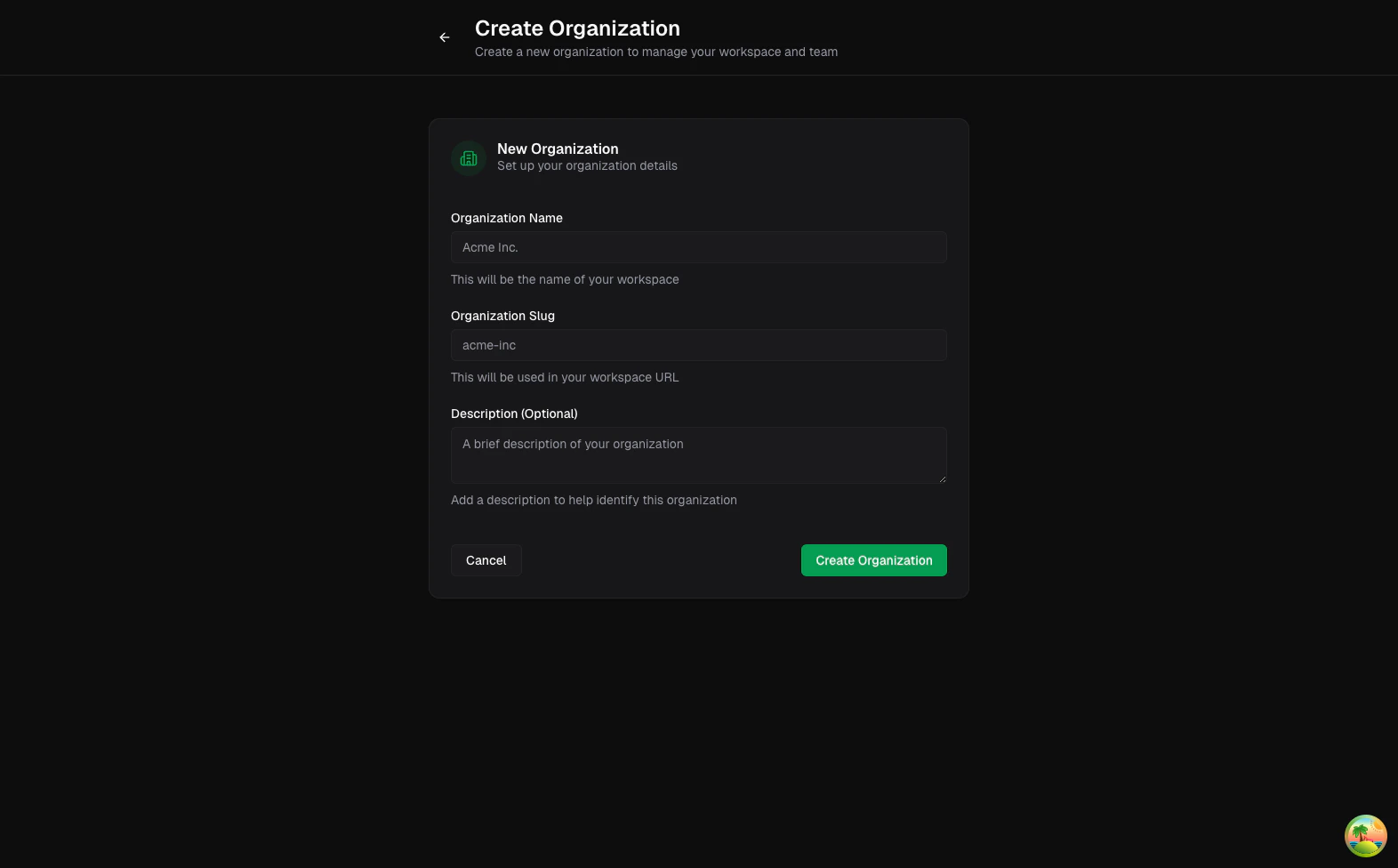
From the organizations list or sidebar switcher, create a new organization with a clear name, slug, and optional description. A good naming pattern is environment plus team, such asGrowth Production or Data Platform Staging.
Switch context before making changes
The organization switcher in the sidebar controls which connections and pipelines you are editing. Always confirm the active organization before rotating credentials or changing schedules.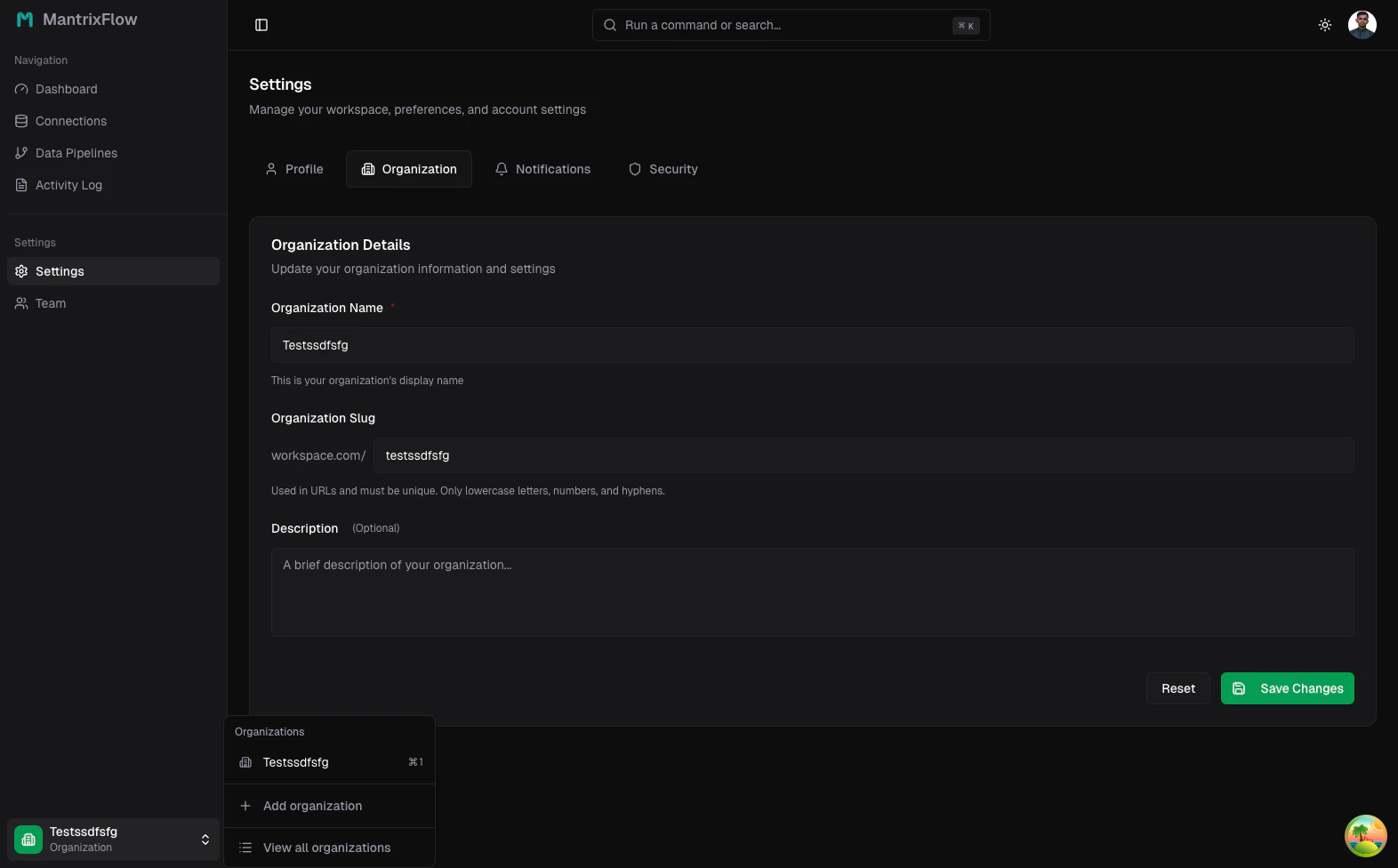
Update organization details
Owners can manage name, slug, and description from Settings -> Organization.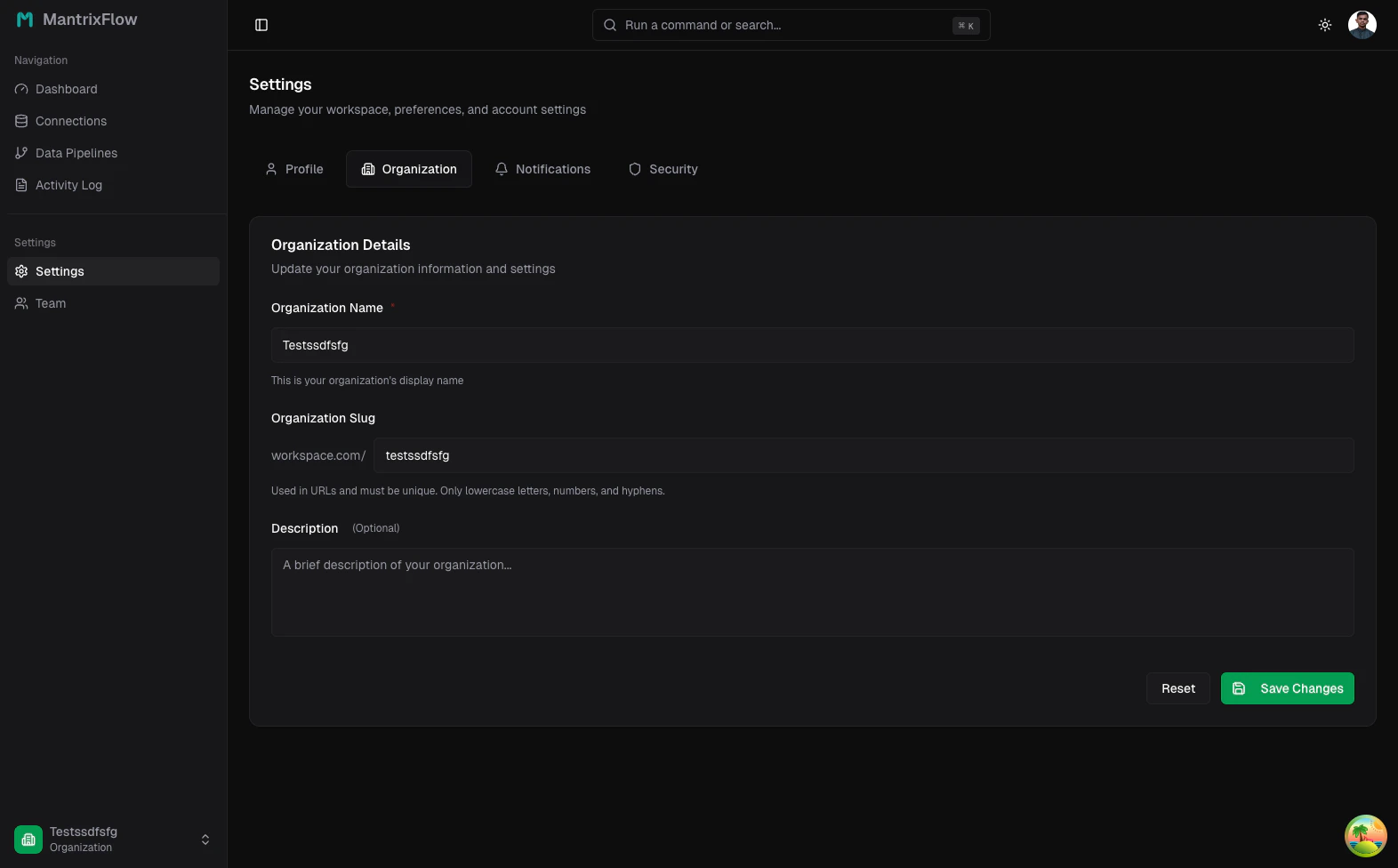
A practical operating pattern
Many teams keep:- one production organization with live credentials and schedules
- one staging organization with test data and manual-only runs
- identical connection names across both, prefixed by environment